
Put your phone away, and turn it into an art clock
A short guide · 24 October 2026
A short guide · 24 October 2026
You pick the phone up to check the time, and twenty minutes later you are still holding it. That isn't a lack of willpower: the phone is built to be the most interesting thing in the room, and it is very good at it. The way out is not to fight it all day. It is to keep the phone out of your hands: give it a place, a better job to do while it is there, and a little friction between you and the scroll, so you can get back to the work, the people and the things you actually like.
Choose one spot for the phone while you are busy: the far side of the desk, a shelf, the wall. The same spot every day, so putting it there becomes a habit rather than a decision. Keep the charger there too. If that is where the phone charges, leaving it there is the easy thing to do.
Half the time you reach for the phone, you only want a glance: what time is it, how long until the next thing. If the time is already on the screen, there is nothing to unlock, and nothing to fall into.
Timeframer turns the screen into a clock where every digit is an illustration: latte art, neon, origami, aerial photographs, changing as the minutes go by. It keeps the screen awake while it is open, the way a game does, so the time is always there to glance at. Turn the phone on its side and it is a display, not an app you scroll. It can run a timer too, for a block of focused work. The clock is also free in the browser, on a laptop or the old tablet in a drawer.
A phone across the room still buzzes. A few settings, all built into the iPhone, decide what gets through:
A phone lying flat on the desk still looks like a phone, and a phone asks to be picked up. Stood up, in a frame, it reads as something else: an original piece of art on the wall or the desk that happens to know the time.
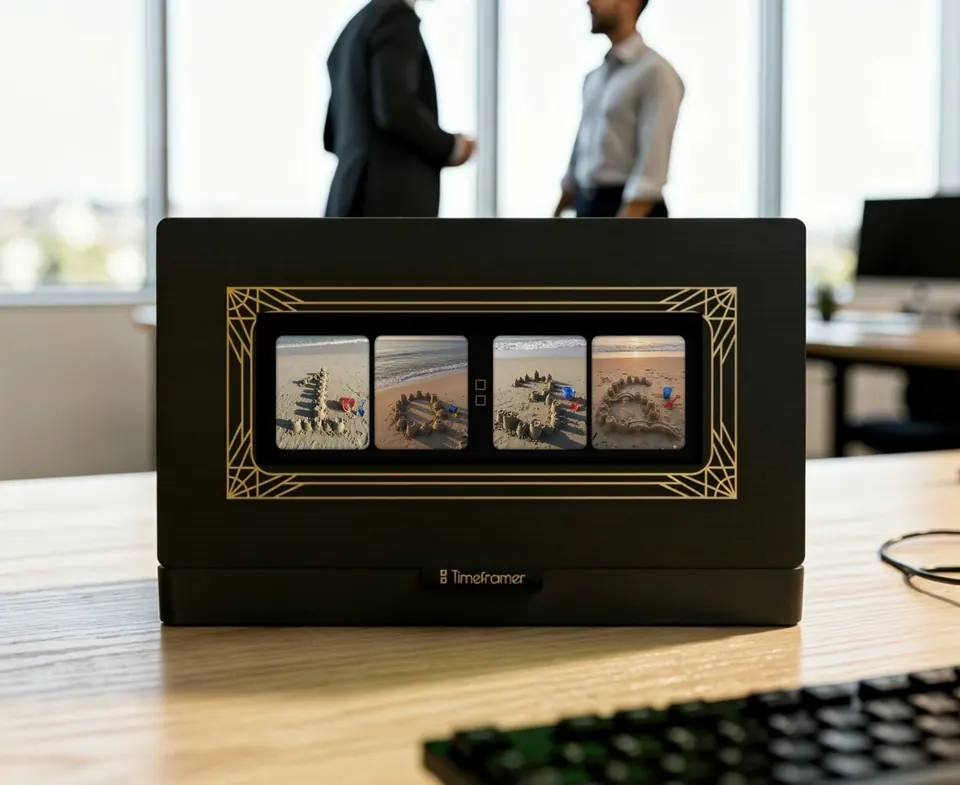
A frame also adds a little friction, and that is the point. Picking up a phone from the desk takes no thought at all. Sliding it out of its frame is a small, deliberate act: just enough to make you ask whether you really want to, and more often than not, you'll leave it where it is.
If you have a 3D printer, Frame Builder lets you design that frame for your own iPhone in your browser: walnut or gilt, a mat or none, for the wall or the desk. The phone slides into its dock, charges on a wireless charger inside it (Apple's MagSafe Charger, or another you measure) and becomes a Timeframer clock. Designing is free and needs no account. Which iPhones and printers it fits is in its questions. No printer? A simple stand still gives the phone its place.
An elegant way to put your phone away, because your time counts.
The first few days you will still reach for it out of habit. You'll look up, see the time in a different set of pictures, think twice, and get on with what you were doing. That is the whole trick. The phone is still there for the call that matters; it has just stopped asking for the rest of your attention.